Where is My Contacts list In Gmail?
Having all your Gmail contacts in one place makes it easy for you to manage, edit, import and export them.
Google recently revamped their mail service and moved a few features around. Lots of people have been praising the new Gmail, but a number of people have made known the difficulty they faced when trying to locate their contact list.
The old method doesn’t work anymore, but luckily, the new method isn’t rocket science.
Finding your Contact list in Gmail
- Log into your Gmail
- Click on the Apps icon in the upper right corner of the inbox page. It brings up a panel of icons for other Google services
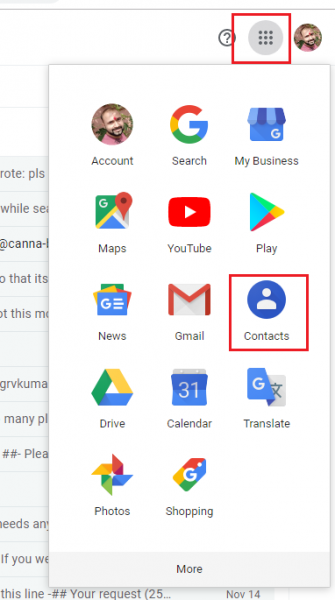
- Scroll through the panel and locate the Contacts icon
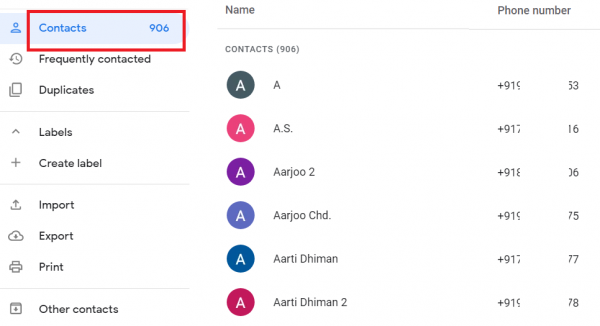
- Click on it to open your address book. Select the contact you need.
We are obsessed with everything about contacts. Our obsession led to Covve, the simplest, smartest contacts app, check it out!